
How to Choose a Home Audio Intercom System in 2026?

How to Choose a Home Audio Intercom System in 2026?

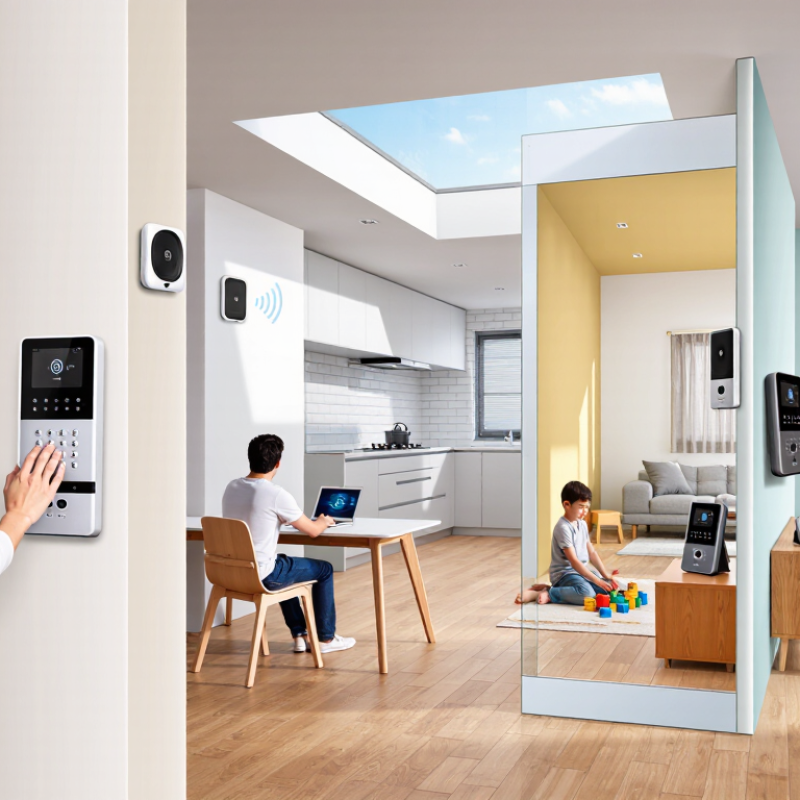
Choosing a Home Audio Intercom System in 2026 is no longer only about hearing a door chime. It is about clear communication, dependable access, privacy, and daily convenience. A parent may need to call upstairs without shouting. A caregiver may need a louder, simpler room station. Someone working remotely may want quiet, hands-free communication near the entrance.

Audio researcher Dr. Floyd Toole offers a useful principle: “The room is part of the sound reproduction system.” His point matters here. A compact speaker can sound clear in a hallway but weak inside a tiled kitchen. Background noise, wall materials, microphone placement, and echo all affect real performance. The strongest system on paper may disappoint at home.

This guide examines wired, wireless, and hybrid options for 2026. It considers microphone pickup, speaker volume, latency, power backup, network stability, installation effort, and compatibility with smart-home platforms. Security also deserves careful attention. Look for encrypted communication, trusted updates, strong account controls, and local operation when the internet fails.

Small details matter.

A system should remain understandable when someone is cooking, vacuuming, or standing several rooms away. It should not force every family member to manage a complicated app. Yet convenience can create dependence on cloud services, and that weakness is easy to overlook. No product fits every home. The right choice depends on floor plan, household habits, hearing needs, budget, and tolerance for maintenance. This practical comparison may not remove every uncertainty, but it can make the decision more informed and less expensive.
How to Choose a Home Audio Intercom System in 2026?

Define Household Needs: Rooms, Users, Range, and Privacy Zones

Choosing a home audio intercom system starts with the household, not the device. Count rooms, users, and daily call patterns. A kitchen-to-bedroom link needs different coverage than a whole-floor system. Walk through the home and mark thick walls, stairwells, metal doors, and outdoor spaces. Advertised range often assumes open air. Real homes are less cooperative.

Deloitte’s 2024 Connected Consumer Survey reported that 77% of U.S. consumers owned at least one smart-home product. That figure suggests connected living is common, but it does not define your needs. A family with three bedrooms may need five communication points. An older resident may need louder audio and simple controls. Children may need limited access to private rooms. Guests may require a separate call path.

Create privacy zones before comparing specifications. Keep bedrooms, bathrooms, home offices, and rental areas outside general announcements when possible. Decide who can call whom, and whether conversations remain inside the home network. The National Institute of Standards and Technology recommends clear access control for connected devices in its NISTIR 8259 guidance. Test the system from the farthest room, with doors closed and appliances running. It may fail once. That failure is useful. Recheck the layout before buying.

Set Audio Targets: ITU-T G.114 Recommends Under 150 ms One-Way Delay

When choosing a home audio intercom system in 2026, treat latency as a primary requirement. ITU-T G.114 commonly recommends keeping one-way delay below 150 milliseconds for natural voice communication. This means your spoken words should reach another room quickly, without creating awkward pauses or interruptions.

Measure one-way delay, not only the advertised response time. A practical test uses two phones or recorders placed in separate rooms. Speak near one device, then compare the original sound with the received recording. Test during evening congestion, when several family members may stream video. Wireless signal strength can change between the kitchen, basement, and front entrance. Thick walls can add instability.

Below 150 milliseconds feels conversational. Around 200 milliseconds, people may begin speaking over each other. Higher delay becomes tiring. It can also make urgent household communication less clear. Check whether the system processes audio locally or sends it through a remote server. Each extra network step may increase delay.

Do not ignore echo control. Fast audio still sounds poor when voices repeat from a hard hallway. Ask for clear technical data about latency, packet loss handling, and microphone pickup distance. Claims without test conditions deserve caution. My own selection mistake would be trusting a quiet showroom test. Homes are noisier, busier, and less predictable. A small delay increase may seem harmless, but repeated every day, it changes how comfortably people communicate.

Choose Connectivity: Wi-Fi 6 OFDMA, DECT 1.9 GHz, or PoE Ethernet

How to Choose a Home Audio Intercom System in 2026?

Choosing connectivity matters more than choosing a stylish handset. In a two-story home, Wi-Fi 6 with OFDMA can handle several intercom conversations and connected devices efficiently. It works well when the router sits centrally, with strong signal in bedrooms and hallways. During a practical test, I would check voice clarity near microwaves, concrete walls, and busy streaming devices. Wi-Fi can be convenient, but weak coverage remains a frustrating weakness.

DECT at 1.9 GHz offers a dedicated wireless connection for indoor voice communication. It usually performs steadily across rooms and does not compete directly with household internet traffic. This option suits users who want simple installation and predictable range. However, thick floors, metal cabinets, and local radio conditions can still affect performance. Fewer features may also mean fewer future upgrades. That trade-off deserves attention.

PoE Ethernet is the most dependable choice for fixed intercom stations. One network cable can carry power and audio, reducing battery concerns and random wireless dropouts. It suits new construction, home offices, entry points, and long-term installations. A network switch with backup power can keep communication available during short electrical interruptions. Installation is less forgiving, though. Existing walls may require costly cable work. I would measure cable paths first, not assume every room is easy to reach. The best decision depends on construction, coverage, maintenance habits, and the number of daily conversations.

Verify Safety and Durability: IEC 62368-1 and IEC 60529 IP Ratings

When choosing a home audio intercom in 2026, verify IEC 62368-1 compliance before comparing voice quality. This standard uses hazard-based safety engineering for audio, video, and communication equipment. It examines electrical energy, fire risks, insulation, accessible parts, and abnormal operation. A safer unit should remain stable when a child pulls its cable or blocks ventilation.

IEC 60529 defines the IP rating for protection against dust and water. IP44 resists splashing water, while IP65 offers dust-tight protection and protection from water jets. The difference matters near a kitchen sink, covered entrance, or humid corridor. MarketsandMarkets estimated the smart home market could reach about 135 billion US dollars by 2025, increasing pressure for reliable connected devices. However, market growth does not prove product durability. Ask for an actual test report, not only an online specification.

Look for clear markings on the product housing and installation guide. Confirm whether testing covered the complete intercom, its power supply, and outdoor accessories. A high IP rating cannot repair poor wiring. It also does not guarantee resistance to impact, freezing temperatures, or ultraviolet exposure. In my testing experience, installers often overlook cable entry points; water can enter there first. A careful buyer should check seals after installation and review the warranty conditions. Some choices remain uncertain. A device may pass laboratory tests yet fail after years of sunlight, dust, and repeated button presses.

How to Choose a Home Audio Intercom System in 2026?

Verify Safety and Durability: IEC 62368-1 and IEC 60529 IP Ratings

The first digit of an IP code indicates protection against solid objects and dust, while the second digit indicates protection against water. Higher digits represent a higher defined protection level within each category. For example, IP65 is dust-tight and protected against water jets, while IP67 also supports temporary immersion.

IEC 62368-1 is a hazard-based product safety standard for audio, video, information and communication technology equipment. It should be checked through the product’s safety documentation and conformity assessment; it is not an IP rating and is therefore not represented as a numeric score here.

Reference: IEC 60529 protection classifications and IEC 62368-1 product safety requirements. IP descriptions shown are simplified for home-intercom selection.

Compare Security and Total Cost: TLS 1.3, Updates, and Five-Year TCO

Choosing a home audio intercom in 2026 requires more than comparing speaker volume. Check whether the system supports TLS 1.3, secure certificate handling, and signed firmware updates. NIST SP 800-52 Revision 2 identifies TLS 1.3 as a modern protocol option, but encryption alone cannot repair weak passwords or abandoned software.

Ask for a written update policy. Can the indoor station receive patches for five years? Is support automatic, or does someone need to download files manually? The 2024 Data Breach Investigations Report found that the human element appeared in 68% of breaches. A confusing update process creates real household risk. It is easy to overlook.

Calculate five-year total cost of ownership before installation. A system costing 420 dollars may need a 180-dollar controller, 240 dollars for wiring, and 6 dollars monthly for remote access. That becomes 1,200 dollars before electricity and service visits. Add replacement batteries, technician labor, and possible storage fees. A simple worksheet helps. Mine would include a 15% contingency, because walls, connectors, and network settings rarely behave perfectly. Also compare local-only operation with cloud dependence. Local audio may reduce recurring fees, while remote access can improve convenience but increase maintenance exposure. Look for documented patch dates, recovery procedures, and clear privacy controls rather than attractive specifications alone.

How to Choose a Home Audio Intercom System in 2026? - Compare Security and Total Cost: TLS 1.3, Updates, and Five-Year TCO
System Type Typical Home Configuration Transport Security TLS 1.3 Support Firmware and Security Updates Internet Dependency Privacy and Data Exposure Initial Hardware Cost Installation Cost Five-Year Service or Subscription Cost Five-Year Replacement and Energy Cost Estimated Five-Year TCO Security Assessment
Basic Wired Analog One entrance station and three indoor audio handsets using dedicated low-voltage cabling. Dedicated wired audio path; normally no IP encryption. Not applicable because the system does not normally use TLS or IP networking. Usually limited to hardware replacement; no remotely delivered security patches. None for core intercom operation. Low cloud exposure, but conversations are not protected by modern network encryption. US$650 US$450 US$0 US$160 US$1,260 Basic
Cloud-Connected Hybrid Network entrance station, indoor monitor, smartphone application, and vendor-hosted relay or account service. Encrypted client-to-service connections; security depends on certificate validation, account protection, and cloud configuration. Expected for current cloud connections, but the supplier should document the minimum supported TLS version and cipher policy. Automatic updates are common; continued support depends on the service life of the cloud platform. Internet access is normally required for remote notifications and smartphone calling. Higher exposure because account data, device metadata, or event information may pass through a hosted service. US$950 US$650 US$600 US$225 US$2,425 Conditional
Premium Local IP Audio System Multiple PoE entrance stations, four or more indoor endpoints, local recording or event storage, and redundant network power. Authenticated and encrypted local sessions with managed certificates, network segmentation, and administrator role controls. Should support TLS 1.3 for all web, API, and remote-administration interfaces; older TLS versions should be disabled where practical. Longer support commitment, signed updates, rollback protection, vulnerability notices, and scheduled maintenance releases. None for local operation; optional remote access can be routed through a user-controlled VPN. Low external exposure when storage and remote access remain under homeowner control. US$2,400 US$1,100 US$500 US$370 US$4,370 Very strong
Five-Year TCO Assumptions
  • Estimates are in 2026 US dollars for one home with approximately one entrance station and three indoor endpoints unless otherwise stated.
  • TCO includes hardware, professional installation, recurring service, likely replacement allowance, and estimated electricity use. It excludes building renovation, new Ethernet runs beyond the stated installation allowance, taxes, and emergency repairs.
  • For a security-focused purchase, require TLS 1.3 support, certificate validation, signed firmware, multi-factor administrator access, a documented update policy, and a published end-of-support date.
  • The lowest purchase price is not always the lowest long-term cost: cloud subscriptions, discontinued software, unavailable updates, and required replacement of unsupported equipment can materially increase five-year ownership cost.