How to Choose the Best Active Optical Cable in 2026
Choosing an Active Optical Cable in 2026 is not simply a matter of buying the highest bandwidth. The right cable must match the port, link distance, airflow, and service plan. A cable that fits the specification sheet can still create problems when it blocks a neighboring port or runs too warm inside a crowded rack.
Demand gives this decision context. Cisco’s Annual Internet Report projected global data-center traffic at 20.6 zettabytes annually by 2021. That figure is a forecast, not a measurement of 2026 traffic, but it illustrates why high-density links matter. LightCounting’s optical-transceiver market research also tracks the industry’s shift toward higher-speed data-center connectivity. These reports describe broad trends; they do not replace checking a cable’s exact compatibility with your equipment.
Cignal AI founder and optical-market analyst Andrew Schmitt offers a useful expert perspective: evaluate optical products against the application and deployment economics, not headline speed alone. Put plainly, fit comes first. For an AOC, compare supported data rates, reach, connector type, power draw, bend tolerance, and vendor interoperability. Check the host equipment’s approved-cable list, too. A small detail, but an expensive one to overlook. This guide explains how to weigh those factors, read product specifications, and avoid common selection mistakes. Some trade-offs remain imperfect: longer reach, lower power, and lower cost do not always arrive together.
Understanding Active Optical Cables and Their Use Cases
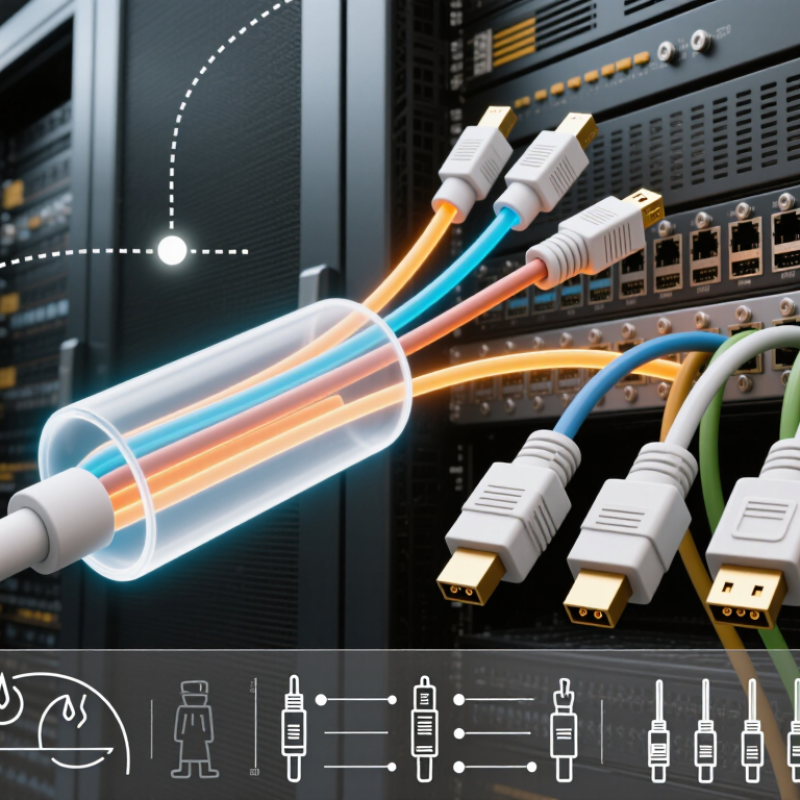
An active optical cable (AOC) combines optical fiber with transceivers built into its ends. It carries data as light, while presenting familiar electrical connectors to network equipment. That matters. AOC links can reduce cable weight and electromagnetic interference compared with copper, especially across crowded racks. They are commonly used between switches, servers, and accelerators in data centers, and for high-resolution video links where long copper runs become awkward.
Demand for fast links is rising with AI infrastructure. IDC’s 2024 Worldwide AI and Generative AI Spending Guide forecast global AI infrastructure spending of $235 billion in 2024, a 97% year-over-year increase. That figure does not prove AOC adoption, but it signals growing investment in systems that move large datasets. IEEE 802.3df-2024 also standardizes 800 Gb/s Ethernet, giving network designers a defined path to higher link speeds. AOC can suit short, fixed connections at these rates, provided both endpoints support the required speed and interface.
Choose by distance, data rate, connector type, and equipment compatibility—not speed alone. AOC assemblies are generally not field-repairable like ordinary patch cables, and their fixed transceivers can limit reuse when hardware changes. Check power requirements and the manufacturer’s compatibility documentation before deployment.
Not everywhere. Fiber’s lower signal loss is useful, but an AOC may be unnecessary for a short, low-speed connection. One caveat deserves attention: published distance limits are not a substitute for testing the actual route, bends, and operating conditions.
Defining the Required Distance, Data Rate, and Connector Type
Choosing an active optical cable starts with the actual path, not the rack’s straight-line distance. Measure the route around cabinets, cable trays, and service loops, then allow modest slack without creating tight bends. A cable that is too short can strain its connectors; excess length can obstruct airflow. Check the cable’s rated reach at your target speed, since maximum distance can vary by cable model and application.
Set the data rate from the port and traffic requirements. The Ethernet Alliance’s 2024 Ethernet Roadmap covers 400G and 800G Ethernet and tracks 1.6T development. These figures describe link capacity, not guaranteed application throughput. Confirm that both host ports support the same rate, lane configuration, and AOC type. Cisco’s Annual Internet Report 2018–2023 forecast 20.6 zettabytes of annual data-center traffic by 2021; it is an older forecast, but it illustrates why capacity planning matters.
Match the connector ends to the equipment. QSFP-DD and OSFP are common high-speed form factors, but matching the shape alone is not enough. Verify port compatibility, supported cable coding, and the required length in the equipment documentation. For a live installation, label each end before routing. Small details matter. I would still recheck the connector specification before ordering; product tables can be easy to misread.
Checking Compatibility with Devices and Industry Standards
When choosing an active optical cable, match the cable’s protocol, connector, and direction to both devices. A connector that fits is not proof of compatibility. Check the host and peripheral specifications for supported data rates, lane configuration, power delivery, and required features such as display signaling. USB-IF’s USB4 Version 2.0 specification describes signaling up to 80 Gbps, with an optional asymmetric mode reaching 120 Gbps in one direction. That headline rate does not guarantee every device or cable supports the same mode.
For network links, compare the cable’s stated Ethernet generation with the port standard. IEEE 802.3df-2024 defines 400GbE and 800GbE interfaces; a cable must also meet the relevant optical and link requirements. Confirm the cable’s reach, operating temperature, and management features against the equipment documentation. In practice, check the exact port labels and firmware notes before ordering. Small differences matter.
Tips: Record both endpoint models, port types, and required speed. Ask the supplier for a compliance statement tied to the specific standard, not just a generic “high-speed” claim. Test the cable under load, then check for link errors and unexpected fallback rates. A spec sheet can still leave gaps. Use it as evidence, not a promise.
How to Choose the Best Active Optical Cable in 2026
Compare the maximum specified link rates of common device interfaces when checking cable compatibility.
These figures are interface maximums, not a guarantee of cable performance. Before choosing an active optical cable, verify that its connectors, supported protocol, directionality, resolution or data-rate requirements, and device certifications match both ends of your setup. Actual performance depends on the specific devices and cable.
Comparing Signal Performance, Power Needs, and Cable Durability
How to Choose the Best Active Optical Cable in 2026
Signal performance starts with the actual route, not the headline data rate. Check the required speed, distance, connector type, and host compatibility, then confirm performance under load. IEEE 802.3’s 400GBASE-SR8 specification supports links up to 100 metres over OM4 multimode fiber. That is a useful comparison point, not a guarantee for every active optical cable. Monitor error counters and link stability during testing. A clean link matters.
Power is easy to overlook. Active cables need power at their ends, so check each device’s port power budget and the cable’s specified consumption. Berkeley Lab’s 2024 U.S. Data Center Energy Usage Report estimated data centers used 176 terawatt-hours in 2023, about 4.4% of U.S. electricity. That figure is not cable-specific, but it shows why small, repeated power loads deserve attention. Measure the real setup. Specifications can miss awkward edge cases.
Durability depends on the installation as much as the jacket. Compare minimum bend radius, connector strain relief, operating temperature, and permitted pulling force. IEC 60794 provides test methods for optical-fiber cable performance under mechanical and environmental stress. Keep the cable away from sharp rack edges, and avoid tight loops behind equipment. I have seen neat-looking routes become unreliable after routine servicing. Leave slack, but not a coil that blocks airflow.
Evaluating Certifications, Warranty, and Total Cost of Ownership
A strong active optical cable should arrive with evidence, not just a compliance logo. Ask for certificates and test reports tied to the exact cable model, connector type, and operating conditions. Check optical performance, safety, and restricted-substance documentation, then confirm the cable works with your switches and ports. A certificate alone cannot prove interoperability. Small print matters.
Warranty terms shape real operating cost. Compare coverage length, replacement procedure, shipping responsibility, and whether a failed cable can be replaced quickly. Uptime Institute’s 2024 Annual Outage Analysis reported that 54% of respondents’ most recent significant outages cost more than $100,000; 16% exceeded $1 million. Those figures do not measure cable failures specifically, but they show why repair delays belong in a purchasing calculation.
Estimate total cost of ownership across the expected service life. Include purchase price, power draw, spare inventory, installation labor, and the cost of swapping a cable in a crowded rack. Request measured power figures and test them against your actual link length and data rate. A cheaper cable may save money today, yet consume more power or require a less convenient replacement process. I would also leave room for uncertainty: forecasts rarely capture every compatibility issue or labor delay. A spreadsheet helps, but it is not the whole story.