
Pressure Reducing
Pressure Sustaining / Pressure Relief
Flow Control valves
Float Valves - Level Control
Electrically Actuated Valves
Pressure Modulation - Remote Control
Altitude Valves - Level Control
Burst Control Valves
Pump Control
CLA-VAL "HYTROL" Main Valve
Valve Controllers and Data Loggers
Air Valves
Why choose an Internet Of Things (IOT) Trainer when online tutorials are everywhere? The answer is practical guidance. IoT systems combine sensors, connectivity, cloud platforms, cybersecurity, and data analysis. A trainer connects these parts through structured exercises. Learners can wire a temperature sensor, inspect a live dashboard, and troubleshoot a failed message. That experience is difficult to gain from theory alone.
IoT Analytics reported approximately 18.8 billion connected IoT endpoints worldwide in 2024, with annual growth near 13% (State of IoT, 2024). This expansion creates demand for professionals who understand both implementation and business impact. McKinsey estimated that IoT applications could generate $5.5 trillion to $12.6 trillion in global economic value by 2030 (The Internet of Things: Catching up to an accelerating opportunity, 2021). The numbers are persuasive, but forecasts are not guarantees. Skills still require practice, testing, and honest feedback.
Kevin Ashton, who introduced the term “Internet of Things,” stated, “The Internet of Things has the potential to change the world, just as the Internet did. Maybe even more so” (RFID Journal, 2009). An effective Internet Of Things (IOT) Trainer turns that vision into measurable capability. Learners should build small systems, document decisions, and question unreliable results. Real devices fail. Networks disconnect. Data becomes messy. That is valuable. A trainer provides expert context, safer experimentation, and a clearer route from prototype to deployment. Still, choosing a trainer without checking credentials, equipment, and current industry practices would be careless. Practical proof matters.
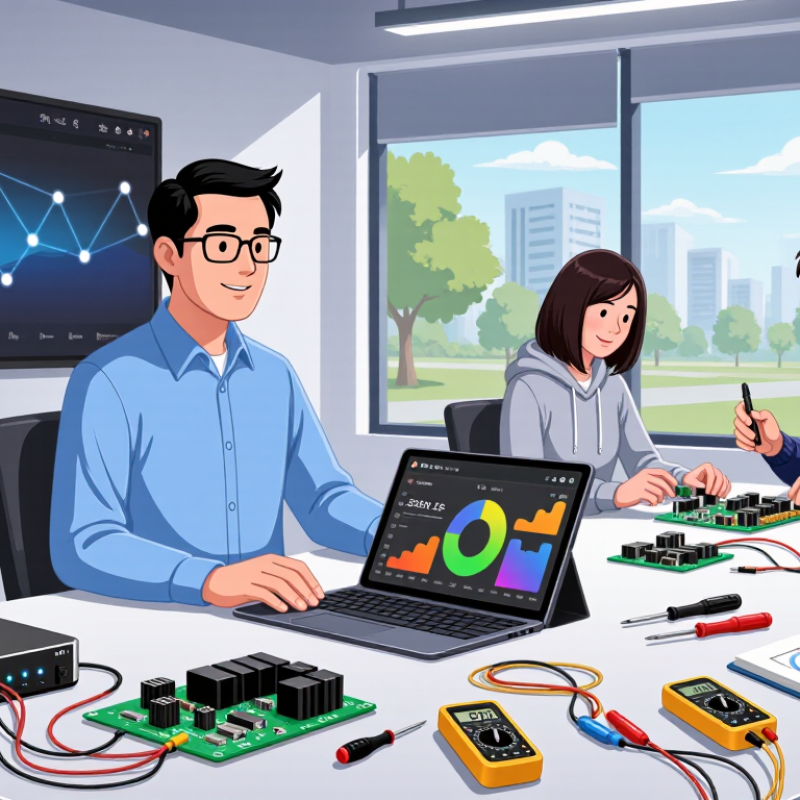
An IoT trainer is a practical learning platform for understanding connected devices. It combines sensors, a small controller, communication modules, and software tools. Learners can measure temperature, light, motion, or air quality with real hardware. The readings then travel through a network and appear on a simple dashboard. This makes abstract concepts visible.
A good trainer teaches the complete IoT workflow. Students wire a circuit, write basic code, collect data, and inspect the results. They also learn signal accuracy, power management, device addressing, and data protection. Clear instructions and repeatable experiments make progress easier to verify.
For example, a learner might compare two temperature readings and investigate why they differ by one degree. That small difference matters.
It teaches troubleshooting, too. Real projects rarely work perfectly. A loose jumper wire can look like a software error. Weak network signals can create missing data. I have found that recording each test result prevents guesswork and reveals patterns. Still, a trainer cannot represent every real-world environment. Weather, interference, and hardware quality may change the outcome. Learners should question successful results, repeat measurements, and document limitations. This habit builds practical judgment, not just technical confidence.
Why Choose an Internet Of Things IOT Trainer?
An IoT trainer turns abstract connected-device ideas into visible, testable work. In a lab session, a learner can wire a temperature sensor, read its voltage, and watch data appear on a local dashboard. This physical sequence links hardware, software, and connectivity without hiding difficult details. A loose jumper may create a false reading. That mistake can teach more than a perfect demonstration.
The hardware layer usually includes sensors, actuators, a controller, and protected power connections. The software layer manages code, data formats, device logic, and basic security checks. Connectivity adds wireless or wired communication, addressing, message delivery, and delays. On one workbench, learners can change a sampling interval, inspect a message, and compare it with sensor output. They begin to see that an IoT system is not just a circuit or an app. It is a chain of dependent decisions.
A reliable trainer should support repeatable experiments and clear documentation. Measured values, wiring diagrams, and connection logs help learners test claims instead of trusting attractive dashboards. Realistic faults also matter, including packet loss, incorrect calibration, and a silent actuator. The learning curve may feel uneven. That is useful. A trainer should encourage careful debugging, not promise instant success. Safe voltage limits and transparent instructions also support responsible classroom practice.
How an IoT trainer combines hardware, software, and connectivity
An IoT trainer helps learners connect physical devices to software applications through practical experiments. This chart compares typical open-area communication ranges commonly used when teaching IoT connectivity. Actual range depends on antenna design, obstacles, frequency, transmit power, and local conditions.
Why Choose an Internet of Things IoT Trainer?
An IoT trainer gives learners a controlled place to build practical skills. They can connect sensors, read live data, and test simple automation rules. A learner might monitor room temperature, trigger a light, or detect unusual movement. Small experiments make abstract concepts easier to understand. My first wiring attempt produced unstable readings because one connection was loose. That failure taught me to inspect power, grounding, and signal paths before changing code.
Learners also practise programming, troubleshooting, data interpretation, and network communication. They can compare sensor values, adjust thresholds, and observe results on a dashboard. This process develops careful thinking rather than simple copying. It also introduces documentation habits, such as recording pin layouts and testing conditions. Not every reading makes sense. Sometimes the problem is poor calibration, weak power, or an incorrect assumption. These moments encourage learners to question results and improve their methods.
Tips: Begin with one sensor and one clear goal. Label every wire. Change only one variable during testing. Keep short notes beside each experiment. A useful reflection is: “What did I expect, and what actually happened?” Leave room for mistakes; real devices rarely behave perfectly on the first attempt.
Choosing an Internet of Things IoT trainer requires more than checking its sensor count. In practical lab work, learners need to connect temperature sensors, motion detectors, displays, and small actuators. The trainer should expose real wiring, not hide every connection behind a simplified interface. Clear circuit labels matter when a learner is troubleshooting a loose jumper at 4 p.m.
Evaluate the trainer’s connectivity options carefully. It should support common wireless and wired communication methods, such as Wi-Fi, Bluetooth, serial communication, and low-power networks. Reliable documentation should explain voltage limits, pin functions, connection diagrams, and sample code. Without these details, even a capable learner may guess incorrectly. That is risky. A protected power system and visible error indicators can prevent damaged components during repeated classroom use.
Software support deserves equal attention. Look for a stable programming environment, beginner-friendly examples, debugging tools, and exercises that progress from sensor readings to automated decisions. A useful dashboard should display live data clearly, with timestamps and simple export options. Check whether lessons can work offline, because classrooms do not always have dependable internet access. Scalability also matters: one trainer may suit a small class, but ten units should remain easy to configure and maintain.
Do not overlook assessment features. Can instructors track completed tasks, review code, and identify repeated mistakes? I would also test the trainer before purchase. Marketing descriptions can sound impressive, yet setup may take longer than expected. That weakness should be recorded, not ignored.
| Evaluation Dimension | What to Look For | Practical Benchmark | Why It Matters | Priority |
|---|---|---|---|---|
| Learning Objectives | Clearly defined outcomes covering sensing, connectivity, data processing, and device control. | At least one complete project should move data from a sensor to a dashboard or control action. | A trainer should support measurable skills rather than isolated demonstrations. | High |
| Microcontroller and Processing | A programmable controller with digital and analog input/output capabilities. | Digital I/O, analog input, PWM output, serial communication, and interrupt support. | These functions represent the basic control and measurement tasks found in IoT devices. | High |
| Sensor Coverage | Common sensors for temperature, humidity, light, motion, distance, pressure, or air quality. | At least four different sensor types with documented wiring and calibration procedures. | A broader sensor set enables practical examples across industrial, environmental, and smart-building applications. | High |
| Connectivity Options | Support for wired and wireless communication suitable for different IoT scenarios. | At least two options, such as Wi-Fi, Bluetooth Low Energy, Ethernet, cellular, or low-power wide-area communication. | Students can compare range, power consumption, bandwidth, and deployment complexity. | High |
| Communication Protocols | Hands-on practice with device-to-device and device-to-server messaging. | Support for MQTT or HTTP, plus a basic understanding of JSON or another structured data format. | These concepts are widely used to exchange telemetry and control commands in IoT systems. | High |
| Cloud and Edge Processing | Activities that demonstrate local processing, remote storage, visualization, and event responses. | The trainer should show both local decision-making and remote data monitoring. | Learners gain a realistic understanding of latency, availability, bandwidth, and operating costs. | Medium |
| Programming Support | A programming environment appropriate for the learners’ level, with access to source code. | Examples should cover sensor reading, error handling, communication, and actuator control. | Readable and editable code encourages experimentation and makes troubleshooting possible. | High |
| Security Training | Authentication, access control, secure transport, credential management, and basic update practices. | Include encrypted communication using TLS, unique device credentials, and a simple threat-modeling exercise. | Connected devices can expose physical systems and sensitive data if security is ignored. | High |
| Data Logging and Visualization | Tools for recording, filtering, charting, and interpreting time-series sensor data. | A dashboard should display current readings, historical trends, timestamps, and threshold alerts. | Data analysis converts raw measurements into useful operational information. | Medium |
| Actuators and Feedback | Outputs such as LEDs, relays, motors, buzzers, or displays controlled by sensor conditions. | At least one closed-loop exercise should connect measurement, decision logic, and physical response. | Feedback demonstrates how IoT systems monitor and influence real environments. | Medium |
| Power Management | Sleep modes, battery operation, power measurement, and energy-aware communication. | Learners should be able to compare active and sleep current and estimate battery life. | Power efficiency is essential for portable and remotely deployed IoT devices. | Medium |
| Modularity and Expansion | Clearly labeled connections, replaceable modules, and accessible interfaces for adding components. | New sensors or actuators should be addable without redesigning the entire trainer. | Modularity extends the trainer’s useful life and supports projects of different difficulty levels. | Useful |
| Documentation and Curriculum | Wiring diagrams, setup instructions, example code, experiments, assessment tasks, and troubleshooting guidance. | A complete beginner project should be startable with documented steps and expected results. | Good documentation reduces setup time and helps instructors deliver consistent lessons. | High |
| Safety and Electrical Protection | Protected power inputs, current limits, safe wiring, low-voltage operation, and clear polarity markings. | The trainer should include short-circuit protection and instructions for safe connection and disconnection. | Protection reduces equipment damage and makes classroom use safer. | High |
| Scalability and Multi-Device Work | Support for multiple nodes, repeatable configurations, and basic device provisioning. | Learners should be able to operate at least two devices and compare their telemetry. | Real IoT deployments commonly include many devices rather than a single prototype. | Useful |
| Maintenance and Total Cost | Availability of replacement parts, software updates, reusable components, and transparent operating requirements. | Evaluate hardware cost, recurring connectivity or cloud fees, setup time, and expected service life. | The purchase price alone does not represent the long-term cost of classroom or laboratory use. | Medium |
An IoT trainer turns abstract concepts into visible, testable experiences. Students can connect temperature, motion, and light sensors within minutes. They can then watch data appear on a dashboard. This immediate feedback makes difficult topics easier to discuss. It also exposes wiring mistakes quickly. That matters in practical education.
A capable trainer supports lessons on connectivity, data processing, device control, and system security. Instructors can create tasks with clear inputs, expected outputs, and measurable results. Students may adjust a sensor threshold, record the response, and explain the change. This process develops technical knowledge and careful troubleshooting habits.
Printed guides, circuit diagrams, and repeatable exercises improve training reliability. Real classroom experience shows that learners remember faults better when they diagnose them independently.
Not every lesson works perfectly. Some students focus on code and ignore physical connections. Others copy results without understanding the data path. An effective trainer helps instructors notice these gaps through staged activities and simple assessments. Teachers can ask learners to predict an outcome before activating a device. The wrong prediction becomes useful evidence. Small failures teach well. Still, equipment alone cannot replace patient instruction, safe laboratory practice, or updated technical knowledge. Trainers should review activities regularly, because outdated examples can create misleading habits. A strong IoT learning environment combines hands-on practice, documented procedures, and honest reflection after each exercise.
CLA-VAL UK Limited
Dainton House
Goods Station Road
Tunbridge Wells
Kent, TN1 2DR
© 2025 CLA-VAL UK | site map | Terms and Conditions of Sale and Warranty | Privacy policy